

Gaming Monitor, Computer Monitor 24 Inch 165Hz, Support 144Hz 1ms IPS 1920x1080P, 2xHDMI 1xDP, Built-in Speakers, Adaptive Sync, VESA
$139.99



Price: $139.99
(as of Dec 27, 2024 09:18:41 UTC – Details)

Product Description
Beginner Level 24 Inch G2465F 144 165Hz Gaming Monitor

Parameters and Warm Tips
Dimension with Stand: 21.3×16.4×8.1 inch(541.6×417.6x207mm)
Net Weight: 5.7lb±0.2lb /Gross Weight: 8.4lb±0.4lb /Power Adapter: 12V/3A
Panel: BOE IPS 1920x1080P
Ports: 2xHDMI v1.4, 1xDP v1.2, 1×3.5mm AUX
HDMI Cable: 4.9FT/1.5M /DP Cable: 4.9FT/1.5M /Power Cable: From plug till DC end 4.4FT/1.36M
Warm Tips:
1. The height of the bottom edge of the monitor from the desktop is 2.75 inches.
2. Some integrated graphics cards and older discrete graphics card may not support high refresh rate monitors and OC may not reach 165Hz.
3. Crosshair is designed on a physical level and will not have any security impact on game accounts.
4. There will be no after-sales support that caused by man-made damage.
5. Support both XBox and PS5 max output 1080P at 120Hz.
6. Compatible work with 144Hz, 120Hz, 100Hz, 90Hz, 75Hz, 60Hz, etc.
7. Buyer will not get after-sales service due to man made damages(Including improper overclocking operations, such as operations beyond 165Hz).
24 Inch Monitor 144hz G-Sync AMD Free-Synce Adaptive

Adaptive-Synce & G-Sync Compatible
As a gaming monitor, sync technology is a must. This monitor offers AMD Free-Sync will make it perfectly compatible with your AMD graphics card. It also supports G-Sync Compatible to work with Nvidia graphic cards. However, it requires your Nvidia graphics card to be at least GTX 10 series

VA Panel VS IPS Panel
The advantage of VA is that it has a higher contrast ratio, and the black picture will be purer. However, the weakness is also very obvious, the response speed is slow, it is prone to screen tearing, smearing, and the power consumption is higher than that of IPS, so IPS is more suitable for players who pursue high refresh speed on FPS and car racing games.
Almost all e-sports monitors of well-known brands use IPS solid panels

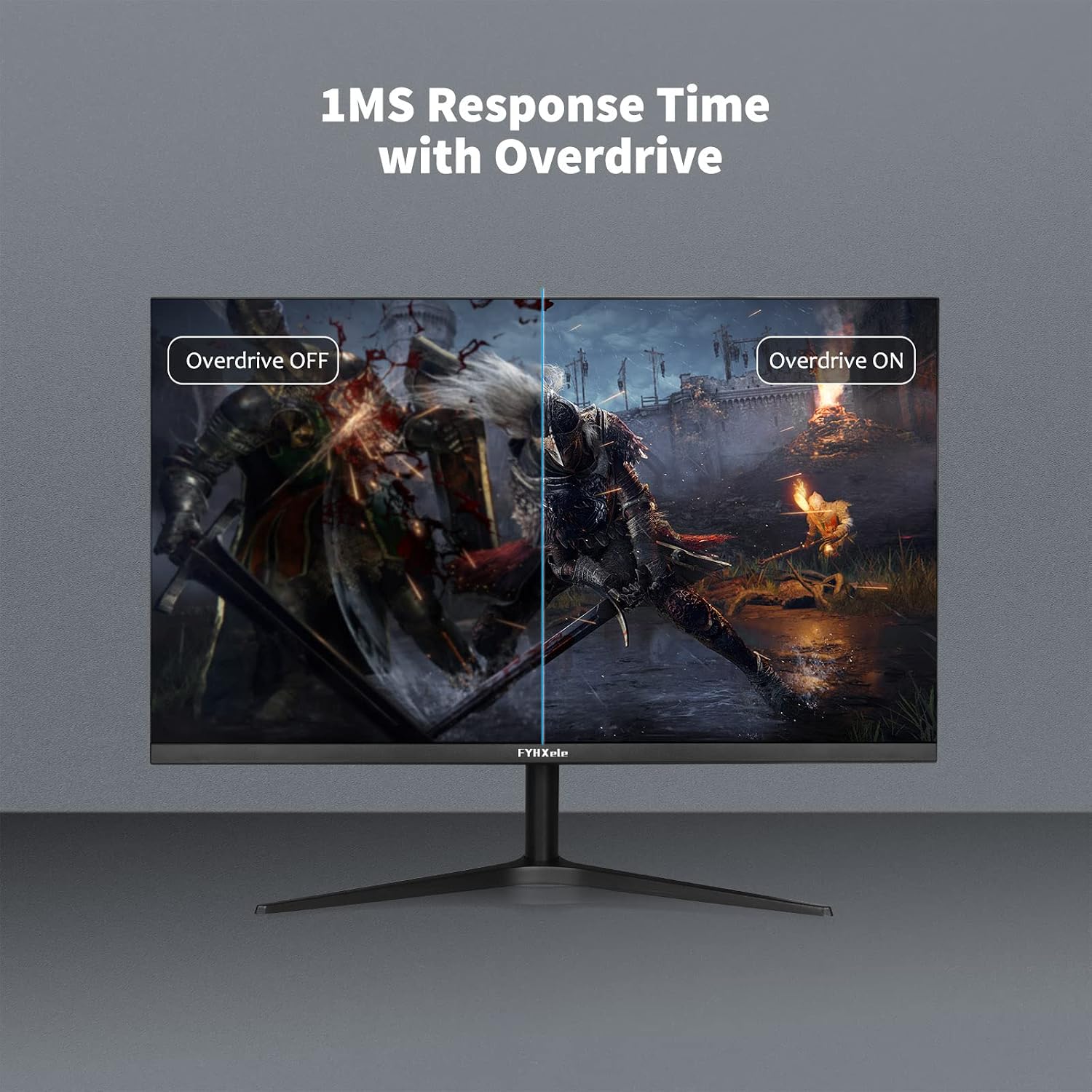
1MS Response Time
This 24 inch gaming monitor has extremely fast response time for 1ms, with the IPS panel, the mouse signal lag will be greatly reduced, and a faster response time will be obtained to your game role during squatting and close combat in FPS-RTS games. Never miss a chance again

Excellent VESA Compatible
Support 75x75mm VESA mount, you can install your favorite VESA stand or arm according to your own ideas to better suit your actual needs. Wall mounted, table mounted, choose one you like

Dual Built-In Speakers
Can simplifies your desktop without placing external speakers. These speakers were for basic use, the sound they can offer will never be as pleasant as the base speakers, they were only suitable for some games or videos that require external basic sounds

Ultra Thin Bezel
The bezel is only 0.21 inches, which can provide a larger effective display area that will greatly improve the actual gaming experience for an economical entry-level high-refresh-rate monitor

Low Blue Light Tech
This 1080p gaming monitor its motherboard adopts low blue light technology, which can effectively reduce the blue light level, and effectively reduce eye fatigue while enjoying the game fun

350 Nits Brightness
Different from ordinary office monitors, it has higher brightness, can obtain fuller colors and richer color gamut content, allowing you to experience detailed and smooth picture quality

Game Plus for FPS-RTS Gaming
The built-in crosshair is definitely a very useful auxiliary setting, which can greatly improve the survival rate of players in the early stage of the game if they are just starting to try shooting games, especially battle royale games.
Just press the OSD button ˅ or ˄, you will find two type decent virtual cross sights with green or red color.

FQA
Note: 1.The monitor support via HDMI connection up to max 165Hz. 2. Regardless of the form of connection, please DO NOT exceed 165Hz!!!
Q1. Why i can’t get 165Hz, i even tried with DP cable?
A1:
1. Make sure your graphics card has HDMI v1.4 and above ports or DP v1.2 ports and above to offer enough bandwidth to support 165Hz output, some older discrete graphics cards and integrated graphics may not support.
2. Make sure your cable was HDMI v1.4 and above or DP v1.2 and above. Recommend you to use the souce cables.
3. Some laptops and desktop computers can’t reach 165Hz, please try the method below first.
NVIDIA: NVIDIA Control Panel – Display – Change resolution – Choose the resolution – Customize – Create Custom Resolution -Input 165Hz – Test(will get black screen for a few seconds) – Yes – Back to Choose the resolution – Custom – Choose the Refresh Rate you set.
Radeon: AMD Radeon Settings – Display – Additional Settings – My Digital Flat-Panels – Custom Resolution(Digital Flat-Panel) – New – Accept -scroll down and change the refresh rate to 165Hz from under the ‘Global’ section – Verify.
If it still can’t reach 165Hz, then your graphics card capacity is insufficient, you need to buy a newer laptop or update the graphics card of your desktop computer.
Q2. Mine was NVIDIA GPU, how to enable G-Sync?
A2: Right-click on the Windows desktop – Nvidia Control Panel – Set up G-Sync – Enable G-Sync, G-Sync Compatible – select the Active Sync display you’d like to use if you have more than one monitor – Enable settings for the selected display model – Apply
Add to Cart
Add to Cart
Add to Cart
Customer Reviews
3.7 out of 5 stars
138
4.0 out of 5 stars
31
3.7 out of 5 stars
138
3.7 out of 5 stars
138
3.9 out of 5 stars
101
Price
$139.99$139.99
— $289.99$289.99 $299.99$299.99
—
Screen
24 Inch FastIPS 24 Inch IPS 28 Inch FastIPS 32 Inch FastIPS 15.6 Inch Touchscreen
Resolution
FHD 1920*1080 FHD 1920*1080 UHD 3840×2160 UHD 3840×2160 FHD 1920*1080
Refresh Rate
144/165Hz 60/75Hz 120/144Hz 120/144Hz 60Hz
Response Time
1ms OD 5ms 1ms GTG+MPRT 1ms MPRT 2.0 3ms MPRT
HDR
HDR400 HDR400 HDR400 HDR400
Sync
Adaptive Adaptive AMD FreeSync Premium, G-Sync Compatible AMD FreeSync Premium, G-Sync Compatible
Adjustment
Tilt -5~ +20 Degree Tilt -5~ +20 Degree Tilt -5~+25 Degree Tilt -5~+25 Degree
Color Gamut
85% NTSC CIE-1931, 99% sRGB, 16.7M colors 79% NTSC CIE-1931, 100% sRGB, 16.7M colors DCI-P3 90%, 100% sRGB, 1.07B colors DCI-P3 95%, 100% sRGB, 1.07B colors 72% NTSC
Speaker
✓
✓
✓
✓
✓
Ports
2xHDMI 1.4, 1xDP 1.2, 1×3.5mm AUX 2xHDMI 1.4, 1xUSB-C, 1×3.5mm AUX 1xHDMI 2.1, 1xHDMI 2.0, 1xDP 1.4, 1xUSB-C, 1xUSB-B, 2xUSB-A,1×3.5mm AUX 1xHDMI 2.1, 1xHDMI 2.0, 1xDP 1.4, 1xUSB-C, 1xUSB-B, 2xUSB-A,1×3.5mm AUX 1xMini-HDMI, 2xUSB-C, 1×3.5mm AUX
Customers say
Customers appreciate the monitor’s functionality and visual quality. They find it works well, has vivid colors, good contrast, and clear picture. While some are satisfied with the picture quality, others have issues with the sound quality. Opinions vary on value for money, build quality, and Hz response.
AI-generated from the text of customer reviews
User Reviews
Be the first to review “Gaming Monitor, Computer Monitor 24 Inch 165Hz, Support 144Hz 1ms IPS 1920x1080P, 2xHDMI 1xDP, Built-in Speakers, Adaptive Sync, VESA”
Related Products


$139.99
There are no reviews yet.